Solid Wood Desk Sizes in Inches: Find Your Best Fit
Common Solid Wood Desk Dimensions (inches) and What They’re Good For
A solid wood desk can outlast multiple computers, chairs, and room layouts—but only if the size fits how you actually work. When comparing desk sizes in inches, focus on three measurements: width (side-to-side), depth (front-to-back), and height. Width dictates how much surface you have for monitors, papers, and elbow room; depth controls viewing distance and how “perched” your keyboard and mouse feel; height determines whether your arms and legs can stay comfortable for hours.
Most home-office desks fall between about 40 and 72 inches wide, around 20 to 30 inches deep, and roughly 28 to 30 inches tall. Smaller widths (40–48 inches) can be great for tight bedrooms or occasional laptop sessions. Mid-size widths (54–60 inches) often feel balanced for daily work without dominating a room. Large desks (66–72+ inches) shine for dual monitors, shared use, or paperwork-heavy tasks—if your space can handle the footprint.
| Width (in) | Depth (in) | Best for | Notes |
|---|---|---|---|
| 40–48 | 18–24 | Laptop work, small rooms | Plan storage carefully; shallow depths can feel cramped with large monitors |
| 49–54 | 20–28 | Single monitor + writing space | A common sweet spot for home offices |
| 55–60 | 24–30 | Monitor + accessories, light multitasking | More flexibility for monitor arm, desk lamp, and notepads |
| 61–72+ | 28–36 | Dual monitors, spread-out work | Requires more floor space; check doorways and assembly area |
Measuring the Space: A Simple Fit Check Before Buying
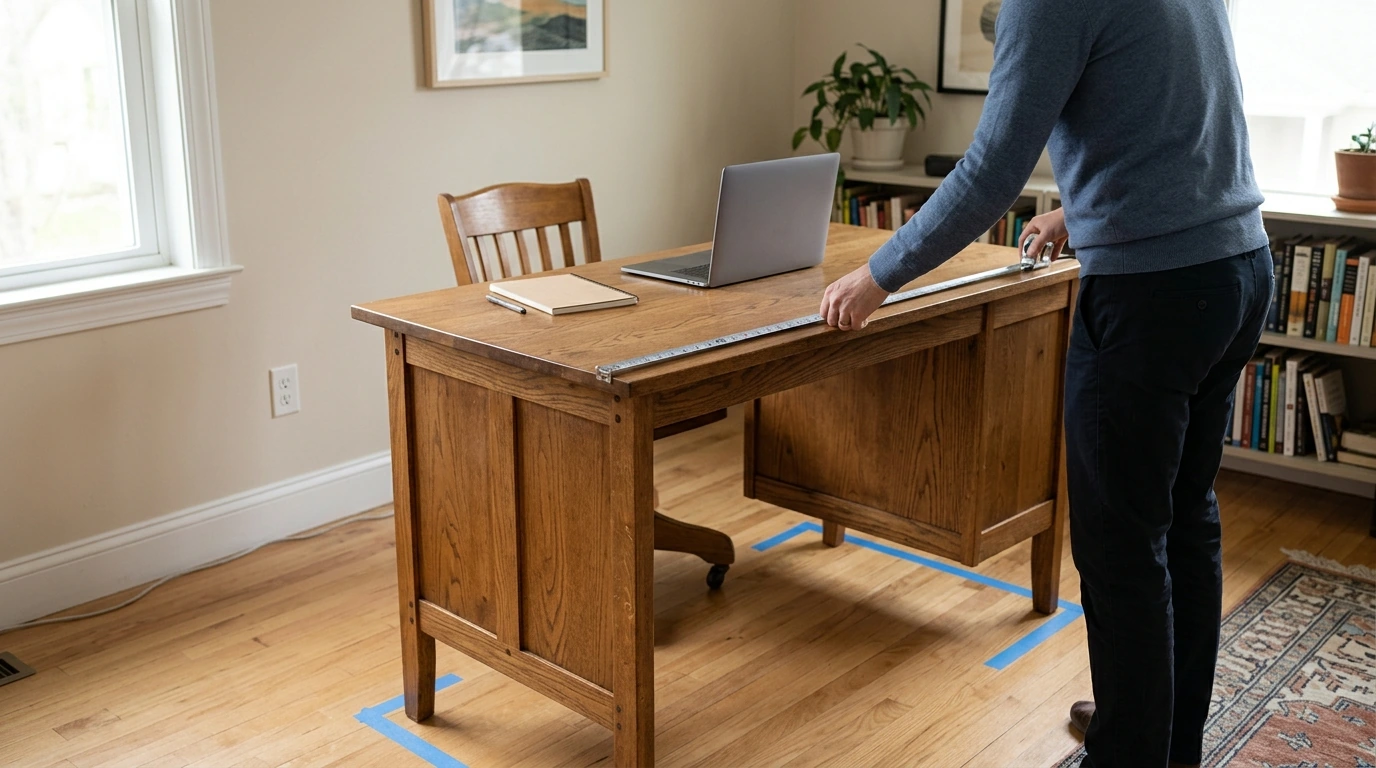
Before you fall in love with a desk’s finish or joinery, do a quick “fit check” with a tape measure and painter’s tape. Start by measuring the wall length (or the nook) where the desk will sit, then compare it to the desk width in inches. If possible, leave a few inches of breathing room on each side so the desk doesn’t look wedged in—and so your hands don’t smack a wall while reaching for cables or drawers.
Next, plan for chair clearance. A comfortable zone behind the desk often lands around 30–36 inches so you can pull the chair out, stand up, and pass through without side-stepping. Also confirm your pathways: doors should swing freely, closet access should remain easy, and the remaining walkway shouldn’t turn into a squeeze point.
Don’t forget under-desk legroom. Solid wood desks sometimes include stretcher bars, thick aprons, or drawer units that reduce knee clearance even when the listed height looks standard. Finally, measure delivery constraints—door widths, stair turns, elevators, and the room where assembly will happen. A desk that fits your office but can’t make the corner at the top of the stairs is an expensive headache.
One last detail that affects “real” fit: baseboards and outlets. Leaving a small gap can prevent pinched cords and help the desk sit flat against the wall instead of rocking on the trim.
Choosing Width and Depth Based on How the Desk Will Be Used
Desk Height and Ergonomics: Comfort Beyond Inches
Also consider desktop thickness: solid wood tops can be thicker than composite alternatives, which may slightly reduce under-desk clearance even when the overall height is “standard.” For mixed sit/stand days, a desk converter or a dedicated sit-stand frame can be a better match than forcing posture changes at a fixed height. For additional workstation guidance, see the OSHA Computer Workstations eTool.
Solid Wood Considerations That Affect Size Choices
Because wood can expand and contract slightly with humidity and temperature, leaving a small wall gap is helpful. For deeper background on wood movement and construction properties, the USDA Forest Service Wood Handbook is a trusted reference. And if a desk includes shelves or tall hutches, review basic stability guidance like the CPSC furniture tip-over information.
A Practical Mid-Size Option: Solid Wood Desk 55 Inches
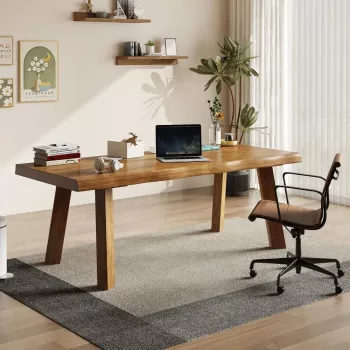
A 55-inch solid wood desk is a versatile middle ground for home offices, guest rooms, or study corners. It’s typically wide enough for a monitor plus a true working zone, but not so large that it demands an entire wall. If you want a ready-to-shop option, see the Solid Wood Desk 55 inches.
| Setup | Works well? | What to watch |
|---|---|---|
| Laptop + notebook | Yes | Add a stand if screen height is too low |
| One monitor + writing space | Yes | Prefer 24–30 inch depth for comfort |
| Two monitors | Sometimes | Use monitor arms; confirm total monitor width |
| Large printer on desk | Usually not ideal | Consider a separate printer stand or wider desk |
Shop Picks (In Stock)
- Solid Wood Desk 55 inches
- Waste Wise: A Home Recycling Guide | Simple Home Waste Sorting System, Eco-Friendly Living Guide & Digital Download
- No-Stress Packing Checklist for Traveling With Kids – Ultimate Family Travel Guide & Digital Download
FAQ
Is a 55-inch solid wood desk big enough for two monitors?
It can be, depending on the monitor sizes and whether you use stands or a dual-monitor arm. Add up the total monitor width (including bezels) and make sure you still have room for your keyboard and mousing area; a deeper desk helps keep viewing distance comfortable.
What desk depth is comfortable for a computer setup?
For most computer setups, about 24–30 inches of depth feels comfortable because it supports better monitor distance and leaves space for a keyboard and notebook. Shallower desks can work, but they may feel cramped with larger screens.
What is the standard desk height in inches?
Many desks are around 28–30 inches tall, with 29 inches being common. Chair height, desktop thickness, and keyboard position affect comfort, and a footrest can help if the desk sits slightly high.









Leave a comment