Tech Safety Starter Kit: Passwords, MFA & Scam Proofing
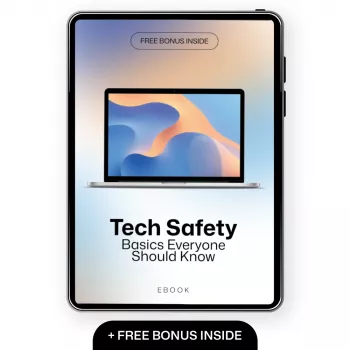
Tech Safety Basics Everyone Should Know: A Simple Digital Security Starter Kit for Real Life
Everyday tech is built for speed and convenience—so basic safety settings are easy to skip until something goes wrong. Our team put together this beginner-friendly starter kit to help you turn digital safety into a calm, repeatable routine: protect your accounts, devices, home Wi‑Fi, and family members with a short checklist that covers the most common risks (phishing, weak passwords, unsafe sharing, and compromised devices).
Start with the three safety priorities that prevent most problems
If you only have 30 minutes, focus on these three priorities. They stop the most common “domino effect” incidents—where one weak spot leads to multiple account and device problems.
- Account protection: strong sign-in habits (unique passwords + multi-factor authentication) reduce account takeovers.
- Device protection: updates, screen locks, and backups limit damage if something is lost, stolen, or compromised.
- Scam protection: learning a few red flags blocks most phishing texts, emails, and fake login pages.
Account safety: passwords, passkeys, and multi-factor authentication made simple
Most real-world hacks aren’t “movie hacking.” They’re reused passwords, fake login pages, or weak recovery settings. Start with the accounts that can reset everything else: email, Apple/Google, and banking.
- Use unique passwords for every important account (email, banking, Apple/Google, social). Password reuse is the fastest route to a chain compromise.
- Prefer a password manager to generate and store long, random passwords; protect it with a strong master password and MFA.
- Turn on multi-factor authentication (MFA) for email first, then financial accounts, then everything else. If possible, use an authenticator app or security key instead of SMS.
- Set account recovery deliberately: keep recovery email/phone current, and store backup codes somewhere safe and offline.
Fast account-hardening checklist (do these in order)
| Step | What to do | Why it matters | Time |
|---|---|---|---|
| 1 | Secure primary email with MFA | Email resets everything else—protect it first | 5–10 min |
| 2 | Enable MFA on banking and payment apps | Stops most takeover attempts even if a password leaks | 5–10 min |
| 3 | Use a password manager for unique logins | Eliminates reuse and guessable patterns | 10–20 min |
| 4 | Review recovery methods + save backup codes | Prevents lockouts and blocks attackers from hijacking recovery | 5–10 min |
If you want a one-page routine you can keep and reuse, our digital download Tech Safety Basics Everyone Should Know (digital guide + cyber awareness checklist) is designed to help you knock out these steps in a sensible order, then maintain them with quick monthly check-ins.
Device safety: updates, locks, and backups that save the day
Device security is mostly about preventing easy entry and reducing the blast radius when something goes wrong. You don’t need to be technical—you need consistency.
- Turn on automatic updates for your operating system and browsers; many attacks rely on old, unpatched vulnerabilities.
- Use a strong screen lock: choose a longer PIN/passcode you don’t reuse elsewhere. Avoid obvious patterns and common 4‑digit codes.
- Confirm encryption: it’s commonly on by default on modern phones; on laptops, verify it’s enabled so a lost device is harder to rummage through.
- Set up secure backups: one cloud backup plus one local option when possible. Then test restoring a file so it’s not “set and forget.”
- Know emergency actions: how to remote lock/wipe and how to sign out of lost devices from your account dashboard.
Home Wi‑Fi basics: keep the front door locked
Your router is the doorway to everything connected at home. A few changes reduce risk without slowing your internet down.
Scam-proofing: the quickest way to spot phishing and fake support
For deeper background on common tactics, the guidance from CISA on social engineering and phishing and the FTC’s phishing scam overview are reliable references you can share with family members.
Personal and family tech protection: safer sharing, safer defaults
Put it all together: a printable checklist that turns safety into a routine
If you like pairing “systems that stick,” you can also grab our Waste Wise: A Home Recycling Guide (simple household system download)—it’s built around the same idea: clear defaults, fewer decisions, and a routine you can maintain.
And if your routine includes travel (a common moment for lost devices and risky Wi‑Fi), our No-Stress Packing Checklist for Traveling With Kids helps you plan ahead so you can also pack essentials like chargers, backup access, and a quick “what to do if a phone goes missing” note.
FAQ
What are the first three things to do to improve digital safety quickly?
Start by enabling MFA on your primary email, then move your important logins into a password manager so each account has a unique password. Next, turn on automatic updates and confirm you have working backups so a mistake or malware doesn’t become permanent data loss.
Is SMS multi-factor authentication good enough for beginners?
SMS-based MFA is better than having no MFA at all, so it’s a solid first step. When you can, upgrade to an authenticator app or a security key—especially for your email and financial accounts—because they’re more resistant to SIM swaps and interception.
How can families reduce risk without making devices hard to use?
Use default-safe setups that don’t require constant supervision: separate profiles for kids, a guest Wi‑Fi network for visitors and smart devices, and simple sharing rules. Add a short monthly check-in and a basic “if something happens” plan so everyone knows what to do quickly.











Leave a comment