Choose a Home Laptop: Simple Specs & Buying Checklist
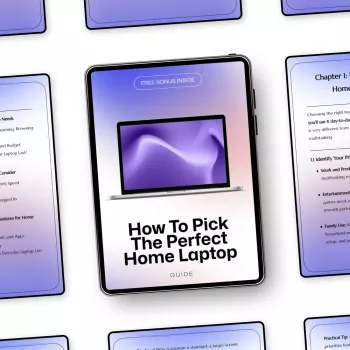
How to Pick the Perfect Home Laptop: A Smart, Simple Guide
Choosing a home laptop gets easier when the decision is based on what the laptop will actually do day to day: browsing, video calls, schoolwork, streaming, light photo editing, or occasional gaming. A smart buy comes from matching a few key specs to your household’s routine, then double-checking comfort details (screen, keyboard, ports, and warranty) that determine whether everyone enjoys using it. For more guidance, see The Best Laptops for Seniors of 2024 Compared & Reviewed.
Start with the jobs the laptop must handle
Before comparing brands and model numbers, get specific about what “home laptop” means in your house. This quick clarity step prevents overspending on power you won’t use—or underbuying and feeling the slowdown within a year. For further reading, see How to Make a Laptop Child-Proof or Kid-Safe.
- List the top 3 activities: email/web + streaming, office/schoolwork, creative hobbies (photo/video), or gaming.
- Estimate the number of users and whether separate profiles or parental controls matter.
- Decide where it will live: mostly on a desk, moved around the house, or used outside the home.
- Note any must-have apps (Microsoft Office, Zoom/Teams, Adobe tools, accounting software) and check system requirements before buying. For Windows compatibility baselines, see Windows 11 specifications and system requirements.
If you prefer a faster decision process, the How to Pick the Perfect Home Laptop – Digital Download includes a simple worksheet for mapping your activities to a recommended spec range, plus a final shopping checklist.
Pick a size and screen that fit your space
Screen size is about comfort and habit. A laptop that’s “fine” on paper can feel cramped for spreadsheets or too bulky to move from room to room.
- 13–14 inch: easiest to carry room-to-room; best for small desks and casual use.
- 15–16 inch: comfortable “main household laptop” size; strong balance of screen space and portability.
- 17 inch: best for staying put (counter/desk) and larger text; typically heavier.
- Resolution: 1080p is the minimum comfort baseline; higher resolutions sharpen text and help creative work, but can reduce battery life.
- Panel type: IPS (or equivalent wide-view) panels make sharing the screen easier and reduce color shifting at angles.
- Glare control: if the laptop sits near windows, a matte display (or simply repositioning) can be the difference between enjoyable and annoying.
Quick match: home tasks → comfortable laptop specs
| Home use | CPU tier | Memory (RAM) | Storage | Nice-to-have |
|---|---|---|---|---|
| Email, web, streaming, budgeting | Modern i3/Ryzen 3 or Apple M-series base | 8 GB | 256 GB SSD | 1080p IPS screen, Wi‑Fi 6 |
| Schoolwork, Office apps, video calls, light multitasking | i5/Ryzen 5 or Apple M-series | 16 GB (or 8 GB if budget is tight) | 512 GB SSD | Better webcam, quiet keyboard, USB‑C charging |
| Photos, hobby design, lots of browser tabs | i5/i7 or Ryzen 5/7 or Apple M-series | 16 GB+ | 512 GB–1 TB SSD | Color-accurate display, SD card reader |
| Casual gaming | i5/i7 or Ryzen 5/7 + entry GPU | 16 GB | 512 GB SSD | Dedicated graphics, better cooling, 120 Hz screen (optional) |
Understand the specs that actually affect home use
Spec sheets can look overwhelming, but a few components drive most of the day-to-day experience.
- CPU: prioritize a recent-generation processor so the laptop stays responsive for years, especially with modern web apps.
- RAM: 8 GB works for basics; 16 GB is the comfort zone for multitasking, many browser tabs, and longer useful life.
- Storage: choose an SSD (not an HDD) for fast boot and app launches; 256 GB is minimal, 512 GB is easier for families, photos, and system updates.
- Graphics: integrated graphics are fine for daily use; dedicated graphics matter for gaming, 3D, and heavier creative software.
- Battery: brand estimates vary, so look for real-world reviews if the laptop will roam around the house.
- Webcam and microphones: 1080p webcams are increasingly common, and good mics matter more than most people expect for calls.
Choose an operating system that matches the household
The “best” operating system is the one that fits your apps, devices, and comfort level.
Don’t overlook comfort: keyboard, trackpad, and build
Ports, charging, and home connectivity
Set a budget that avoids overbuying (and underbuying)
For another quick household upgrade that reduces daily friction, consider Waste Wise: A Home Recycling Guide – Digital Download to set up a straightforward sorting system that makes cleanup easier for everyone.
A simple checklist to finalize the choice
Digital guide for quick decisions
How to Pick the Perfect Home Laptop – Digital Download is designed for exactly that: simple, practical, and easy to use while shopping.
FAQ
Is 8 GB of RAM enough for a home laptop?
8 GB is enough for email, web browsing, streaming, and light documents. For heavy multitasking, lots of browser tabs, photo work, or a longer useful life, 16 GB is the safer choice.
How much storage does a home laptop need?
256 GB is a workable minimum for basic use, while 512 GB is more comfortable for families, photos, and system updates. If you store lots of videos or large photo libraries, 1 TB can make life easier, and you can also supplement with cloud or external storage.
What matters most for video calls on a home laptop?
Look for a 1080p webcam when possible, clear microphones, and stable Wi‑Fi. Good lighting and a simple headset often improve call quality more than a small CPU upgrade.










Leave a comment